> For the complete documentation index, see [llms.txt](https://docs.gooey.ai/llms.txt). Markdown versions of documentation pages are available by appending `.md` to page URLs; this page is available as [Markdown](https://docs.gooey.ai/help-desk/how-to-use-version-history.md).
# How to use Version History?
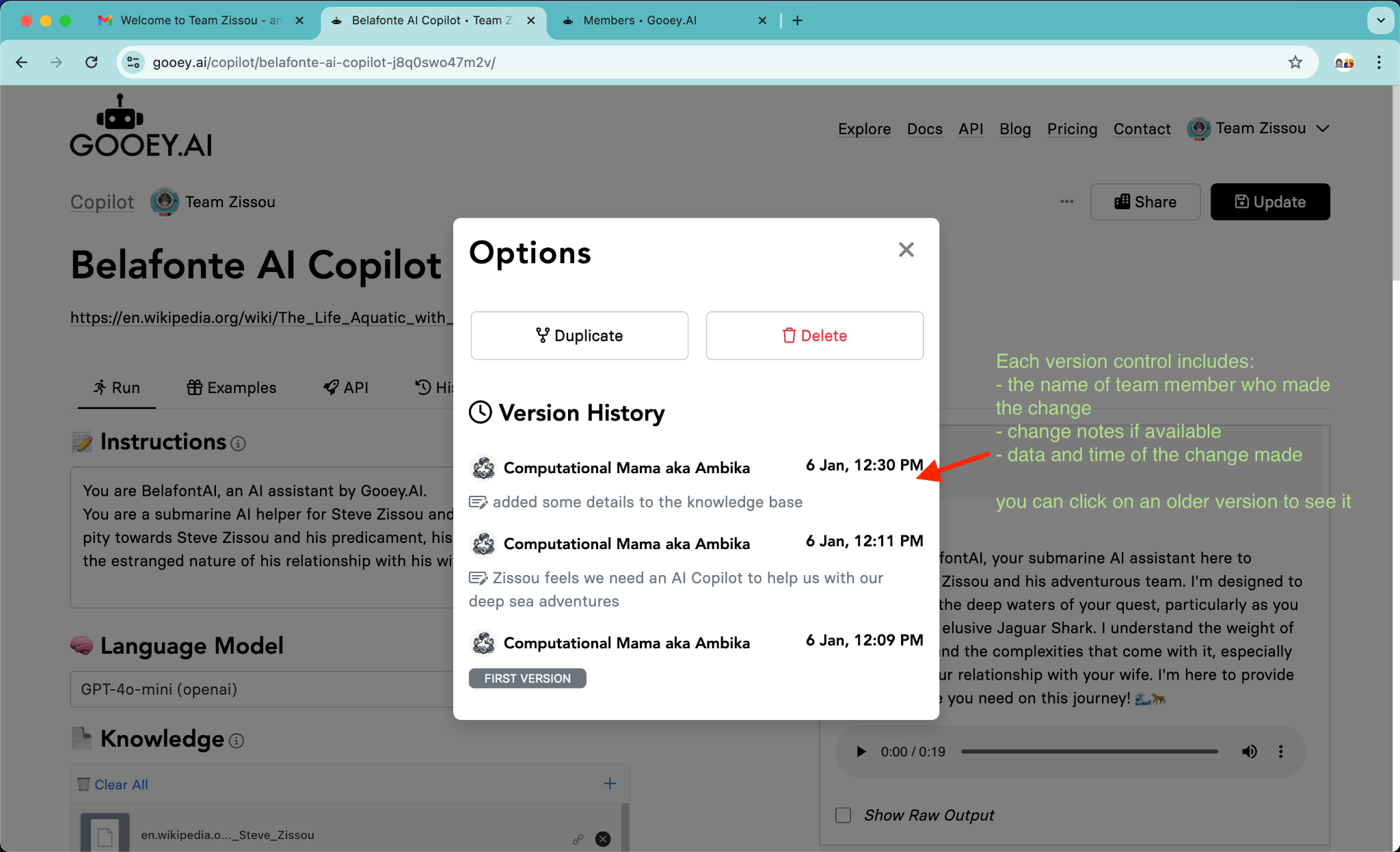
If you want to revert to a past version of your AI Workflow, you can use our version history tool in Workspaces.
This is useful if:
* You realize that your newly “Saved” workflow is failing or not successful
* You accidentally clicked “Update” and your Workflow wasn’t ready or was incomplete
* You want to use the previous version of an AI Workflow and “fork” it
#### Step 1: Click on the “Options” button on the top right as circled here in red.

#### Step 2: Click on the version that you want to revert/update to
#### Step 3: Make your changes and click the “Update” button